

NetoMeter Blog
Main Site >>
NetoMeter Blog
NetoMeter Blog
Latest Videos
  • Home
  • Windows Server
  • Exchange Server
  • SharePoint
  • Tools
    • ACMEExchange Client
Main Site >>
Saturday, November 7, 2026
NetoMeter Blog
NetoMeter Blog
  • Main Site >>
  • Home
  • Windows Server
  • Exchange Server
  • SharePoint
  • Latest Videos
  • Upcoming
Main Site >>

©2024 NetoMeter All Right Reserved.
Windows Server 2008

MySQL, PHP with FastCGI and Joomla on Windows Server 2008 (x64)

by admin July 18, 2008
0FacebookTwitterPinterestLinkedinWhatsappTelegramViberEmail
9

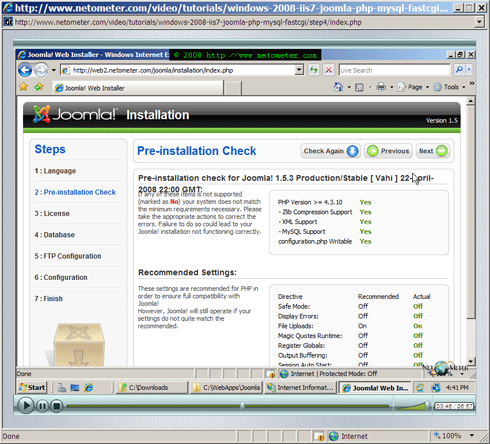
If you want to run Joomla on a (x64) version of Windows Server 2008, you can do this easily, following the same Step-by-Step video tutorial:

Joomla on x64 Windows Server 2008

It is important to download the (x64) version of MySQL and (x64) version of PHP.

Dean

JoomlaMySQLPHP with FastCGIWindows Server 2008x64
0 FacebookTwitterPinterestLinkedinWhatsappTelegramViberEmail
previous post
IIS7 – How to Install GoDaddy SSL Certificate
next post
How to Add Windows 2008 Domain Controller. Upgrading Active Directory Domain to Windows Server 2008 AD DS Domain

You may also like

How to Generate Exchange 2010 Self Signed Multiple Domain Certificate

January 27, 2013

Installed “Update Rollup 3 for Exchange 2010 SP2”- Downtime about 40 minutes

May 30, 2012

How to Move Windows Server 2003 DHCP Configuration and Database to Windows Server 2008 R2,...

June 12, 2011

How to manage Hyper-V Server 2008 R2 Remotely from Windows 7 in Workgroup

September 6, 2010

How to Request and Install Exchange 2007 SAN (Multiple Domain) Certificate from Microsoft Stand-alone Certification...

October 26, 2009

How to Configure and Schedule Backup Jobs and Create Custom Scheduled Jobs with Windows Task...

April 6, 2009
November 2026
M T W T F S S
 1
2345678
9101112131415
16171819202122
23242526272829
30  
« Nov    

NetoMeter Blog

  • Video Updates
  • Upcoming Videos
  • Community Chatrooms
  • Community Forum
Facebook Twitter Rss Envelope

Useful Links

    • Contact Us
    • Collaboration
    • Adverstising
    • Privacy Policy
    • Feedback
    • Terms of Use
    • Help & Support
    • News Covering
    • Trending Now

Edtior's Picks

ACMEExchange Let’s Encrypt Client: How to Install a LE Certificate in Exchange Server
Coming Soon: How to Migrate File Servers to Server 2022
Screencast (Part 2): How to Upgrade from Exchange 2013 to Exchange 2019

Latest Articles

ACMEExchange Let’s Encrypt Client: How to Install a LE Certificate in Exchange Server
Coming Soon: How to Migrate File Servers to Server 2022
Screencast (Part 2): How to Upgrade from Exchange 2013 to Exchange 2019
Screencast: How to Upgrade from Exchange 2013 to Exchange 2019
NetoMeter Blog
  • Home
  • Windows Server
  • Exchange Server
  • SharePoint
  • Tools
    • ACMEExchange Client
NetoMeter Blog
  • Main Site >>
  • Home
  • Windows Server
  • Exchange Server
  • SharePoint
  • Latest Videos
  • Upcoming
©2024 NetoMeter All Right Reserved.